Last updated on December 21st, 2025 at 09:54 am
When I first started working with networks, patch panels were these scary walls of ports only senior techs could even look at. I’d watch them in server rooms and scratch my head, thinking: “So why can’t we just plug absolutely everything straight into the switch?”
Then I contributed to putting together an office network. I then worked on a small office network. That’s when it clicked.
What a Patch Panel Does
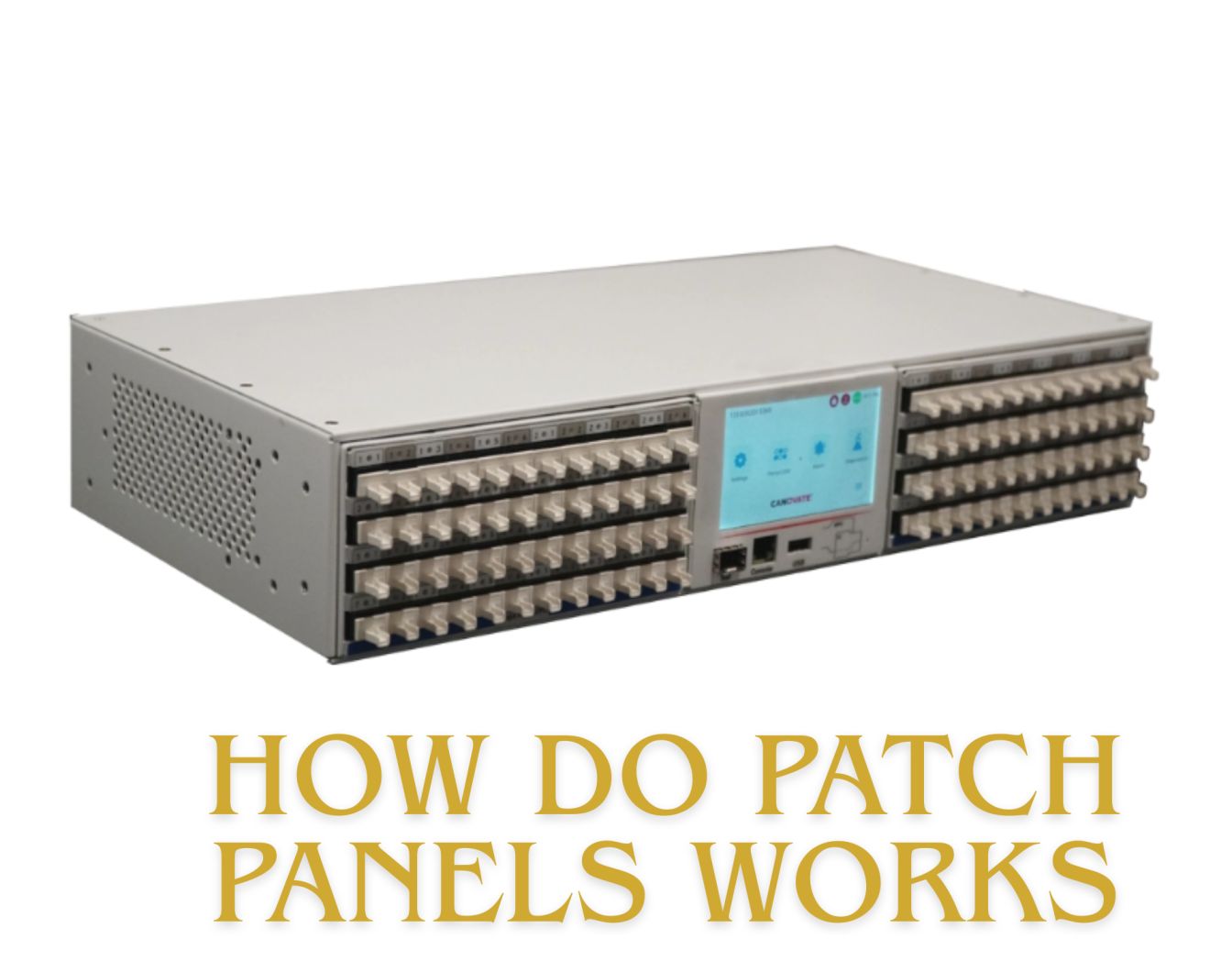
Here’s the easiest way I can explain it: a patch panel is essentially the organizing hub for all of your network cables. It sits between your wall jacks (the outlets where people plug in their computers) and your network switch, which is a lot of tech talk for “a magic box.”
Your walls’ permanent cables punch down into the back of this panel. Short patch cables run from the front ports to your switch. That’s it. No active electronics, no power required only a pure point of connection.
When I put the first one in, I’m like it’s having a junction box instead of 20 cords running back and forth all crazy behind your equipment rack.
The Real-World Setup (TKHelpDesk Small Office Scenario)
Allow me to guide you through what I learned setting up a 15-person office:
In every cubicle we had ethernet jacks. Those cables ran through the walls back to our server closet 50-foot runs. So if you didn’t have a patch panel, you would have 15 long wires coming right out of the switch. Sounds simple, right?
Wrong. Here’s what actually happens:
Cable strain kills ports. All those bulky cables tugging on switch ports? They wear out fast. I have seen bent pins and loose connections from cables that were too heavy or got yanked out of the port accidentally.
Troubleshooting becomes a nightmare. And when desk 7 is impossible to connect, you go through a damn riggedatory of tracing cables trying to find out which port goes where. Once it took me 45 whole minutes to find a single bad connection.
Switch replacements mean re-terminating everything. Want to upgrade your switch? Good luck pefectly redoing 15 or so cable ends. Crimp something bad and spend a day or two trying to diagnose connectivity problems.
With the patch panel, those fixed cables can remain in place. They are labeled, they are organized, and then they’re punched down once. When there’s a problem at desk 7, I look at the patch panel label, trace one small patch cable to the switch and it’s less than 5 minutes.
How the Connection Actually Flows
The route a network signal traverses is shown in the next image:
- Computer plugs into wall jack
- Cable goes through the wall to back of patch panel (punch-down side)
- There is a signal (front) sent through the panel
- Short patch cable from front port to switch.
- Switch does all the route magic for us
The patch panel doesn’t do anything to the signal – it’s just a matter of physical organization. Consider it as a super neat extension cord arrangement.
The Two Ferguson Protesters You Should Read About
Back side (punch-down blocks) This is where your permanent cables end. Inside each of the ethernet cables you will find eight wires, which are color-coded. You use a punch-down tool to push the individual wires into position. Then it snips off the surplus and forms a solid bond.
I’m going to be honest: My first handful of punch-downs were terrible. The key is not to apply too much force, and make sure the pairs remain twisted as close to the termination point as possible. Too much untwisting leads to signal errors.
So you have the front side (The hyphenated RJ45 ports):Those look like just regular ethernet jacks. This is where you can plug in your short patch cables (1-3 feet) that hook to your switch. If these break, the cables are cheap to replace.
Cable Categories Matter (But Not How You Think)
You will find patch panels that say Cat5e, Cat6 or Cat6a. Here’s something I wish people had told me at the start: Your panel needs to meet or exceed your cable’s rating.
If you have Cat6 cables in your walls and a Cat5e panel, congratulations: You just downgraded your entire network. The slowest component wins. I discovered that after I couldn’t figure out why our “gigabit network” was running like it was in 2005, too.
Cat6 panels manage 1000Mbps at 250Mhz. Cat6a is rated at up to 10Gbps, over 500MHz. Cat6 will be the sweet spot for most small offices.
The mistakes I’ve made that you shouldn’t
Anytime you mix wiring standards: There are two standards T568A and T568B. Pick one and stick with it. I inadvertently combined the two once when I was not paying attention and had to spend an afternoon re-punching cables.
Leaving everything unlabeled: Sober you will hate drunk you. Mark both ends of all cables. I use a label maker these days, but masking tape and a Sharpie will do.
Bending cables in right angles: Ethernet cables don’t appreciate the tight bends of a 90 degree just before they end. It messes with the signal. Leave a little service loop.
Neglecting cable organization: Utilize the included management bars on your rack. Functional designSleek wires don’t just look nice they also work better. You’ll want your tools 2AM when some shit breaks down.
Why It Matters for Your Career
Every network I’ve ever been involved with, which typically ranges from the 10-employee office to a larger organized corporate setup, uses patch panels. They’re standard infrastructure. Knowing how to work them, properly end cables, debug connections makes you way more valuable as a junior tech.
And as you start to become more comfortable with patch panels, bad installations will jump out at you. Loose cables, bad cable management, lack of labels, That’s what accounts for 50% of network problems.
The Bottom Line
Patch panels aren’t complicated. They’re simply smart organization that helps keep your gear protected and easier to carry. Once I realized that, networking went from seeming like chaos to making perfect sense.
Start with one. Punch down some cables. Make mistakes. Fix them. That’s how you really learn this stuff not by reading about it but by doing it and seeing what works.
Read:
What’s the GSMA Coverage Network? A Beginner’s Guide

I’m software engineer and tech writer with a passion for digital marketing. Combining technical expertise with marketing insights, I write engaging content on topics like Technology, AI, and digital strategies. With hands-on experience in coding and marketing.


