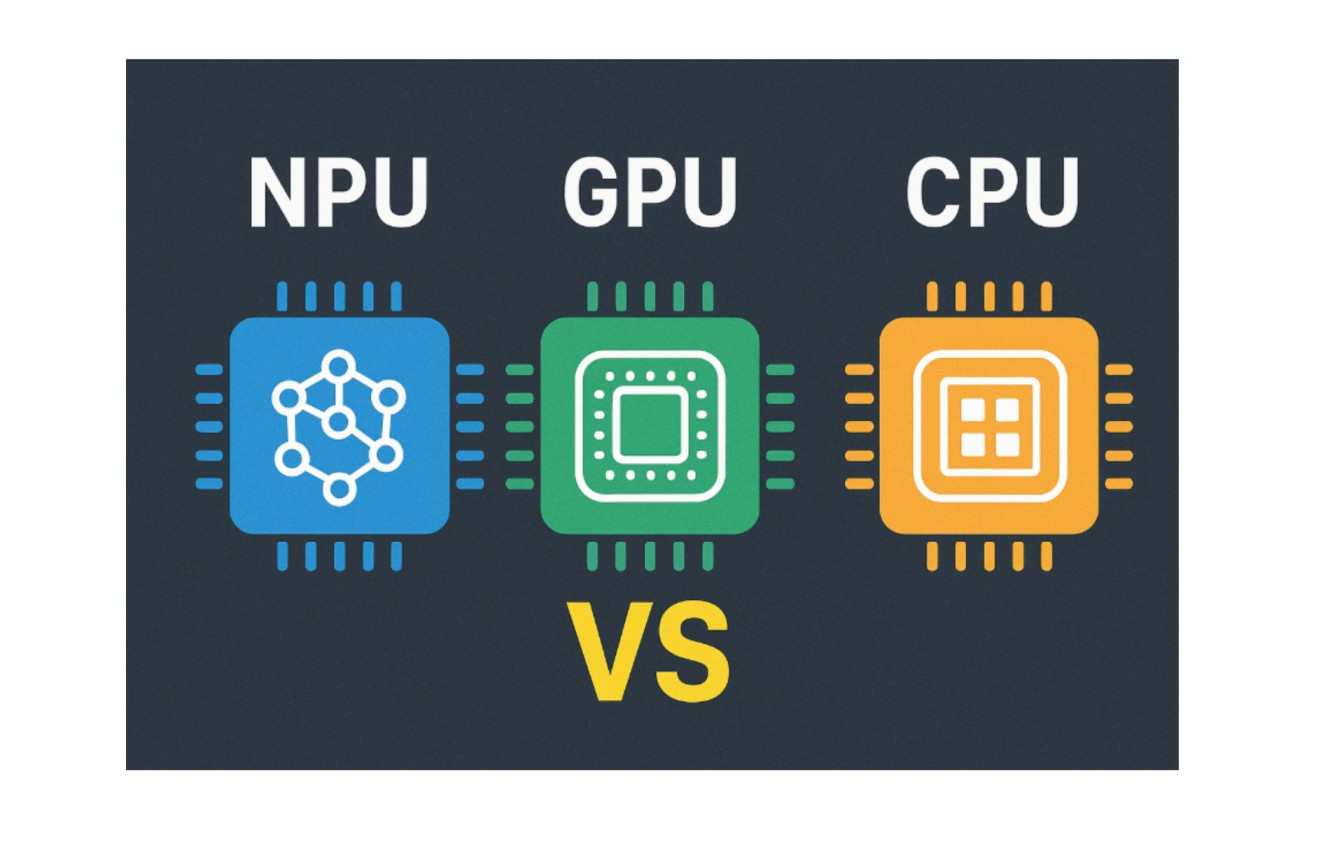
At present it is most likely that your laptop has more than one processor. The tiny computers of modern gadgets include a CPU to perform modern tasks, perhaps a graphics card to draw images, and, most commonly, an AI processor to perform AI functions.
They have all different approaches to computing and understanding what each of them can do can allow you to be more intelligent when choosing between hardware and software.
Understanding the Three Processors
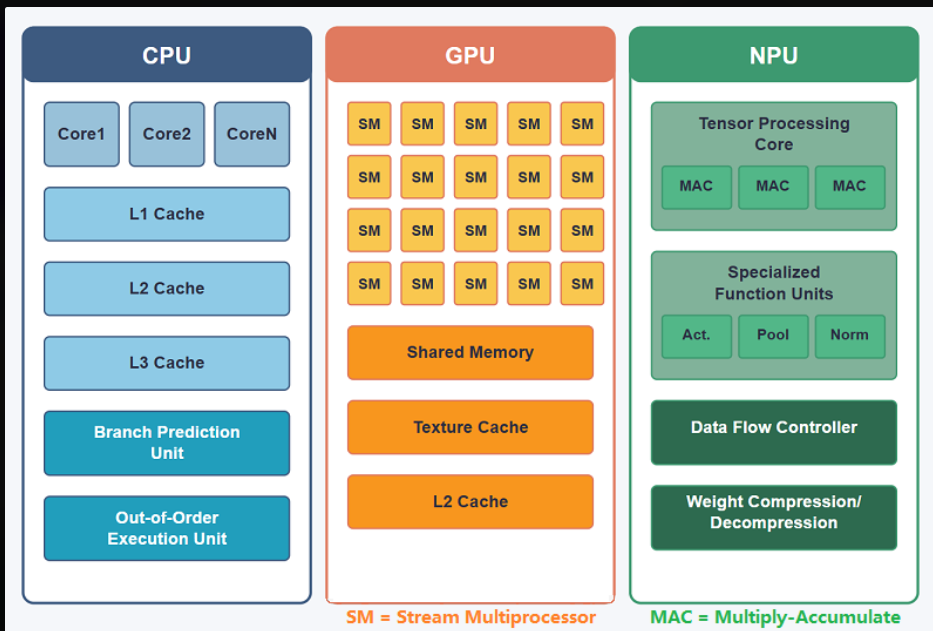
CPU: The General-Purpose Brain
Most of the work of your computer will be performed by the Central Processing Unit. The CPU coordinates whenever you open a file, browse the internet, or start an application etc. It is designed to process tasks sequentially – one task at a time using a limited number of powerful cores.
Current processors such as Intel Core i7 or AMD Ryzen 7 have between 8 and 16 cores. The individual cores operate at a high clock speed usually 3.5 GHz to 5 GHz. This structure predisposes them to complex thinking and bifurcation, that type of activity where the next step relies on the one before it.
A CPU would be analogized to a professor who is solving mathematical problems. It has got digestion capacity of any kind of issue you present to it, but it does it one after the other. The trade-off is flexibility. CPUs interpret your operating system, memory and coordinate everything within your system of components.
Key specs to consider:
- Clock speed: It is measured in GHz and defines the speed of each of the cores.
- Cast capability: The more the cores, the more it can multitask.
- Cache A velocityy memory constructed on the chip (L1, L2, L3) that lessens the delays.
- TDP (Thermal Design Power): typically varies between 15W -125W basing on the model.
GPU: The Parallel Processing Power.
Graphics Processing Units revolutionized computing in response to NVIDIA and AMD that began constructing chips with small thousands of cores. The current generation GPUs, such as RTX 4070, have more than 5, 000 cores. These cores are not as advanced like the CPU cores, but they process things concurrently.
Initially, GPUs are created to render graphics and do it in a parallel mode. They are capable of running the same calculation on large datasets in real time (ideal in 3D rendering, video editing, AI models, and AI models training).
There is a basic change of architecture. Although a CPU can have 16 high-speed cores, a GPU can have thousands of slow cores. It is similar to the presence of a school of students who are solving 1,000 simple math problems simultaneously over the professor who is attempting to solve complex problems by himself.
GPUs have a performance of FLOPS (floating-point operations per second). Premium models go up to 30+ teraExceptional models go up to 30+ teraFlops, which translates to 30 trillion calculations a second. Their requirement is due to the fact that they are used to perform batch workloads and train large neural networks using raw throughput.
Key specs to consider:
- CUDA Cores (NVIDIA) or Stream Processors (AMD): The higher the number of cores, the higher the number of parallel cores.
- Memory bandwidth: This is the speed at which data is transferred to and originated by the GPU.
- VRAM: Graphics and compute specific memory.
- Power consumption: The GPUs consumed with gaming usually require 200W to 450W of power under load.
NPU: The Specialized AI Accelerator.
NPUs are the latest built in to the consumer devices. Phones and laptops also now have NPU silicon that is dedicated by companies such as Qualcomm, Apple, and Intel. These include the Qualcomm Hexagon NPU in Snapdragon and the Neural Engine in Apple. NPUs don’t try to be flexible.
They are created with the sole purpose of executing neural network inference the use of pre-trained Artificial Intelligence (AI) models in order to draw predictions. This equipment has special circuits known as Tensor Cores, which can speed up matrix multiplication, which is the deep learning main operation.
The difference between NPUs is efficiency. They execute AI applications at 2 to 10 watts as compared to 50 or more watts a GPU would use on the same task. It is important to features that require constant connectivity such as background blur in video calls, real time translation, or voice assistant, that don’t require you to recharge your battery before they shut down.
The catch? Training is normally done via GPUs, whereas inference is done via NPUs. There would be no way to construct an AI model on top of an NPU. However, when it comes to models which already exist, they cannot be compared in terms of power efficiency.
Key specs to consider:
- TOPS Tera Operations Per Second: Also indicates performance of an AI.
- Backed frameworks ONNX, CoreML or vendor SDKs.
- There is memory access: CPU share or dedicated.
- Characteristic power: 5W-15W: inference, control Inference: 5W 15W Typical power Start to finish is 5W-15W inference power and a single component construction.
Performance Metrics That Matter
Comparing the processors, there are a number of measures that cannot be used to identify real world performance.
Clock Speed: CPU designs triumph in this category and use 3-5GHz. GPSs have lower speeds (1-2 GHz) but, they cover in huge parallelism. NPUs are not homogeneous but are focus on the efficiency rather than speed.
Core count GPUs have thousands of cores compared to dozens in the CPU and hundreds in NPU. Increasing the number of cores is useful in cases where the work can be split into the same operations.
Cache Size: Caches of CPU are the largest ones (this may be up to 96MB in the newest models) so that disk latency is lower. The smaller caches but high bandwidth memory are used by GPUs. NPUs often share system RAM.
FLOPS: GPUs reach 30-50 teraFLOPS. CPUs hit 1-2 teraFLOPS. The NPUs are different in measures unlike that of floating-point; they use TOPS to carry out integer operations and can be up to 10-45 TOPS in current chips.
Power Consumption by Task
It is efficient depending on the task at hand.
General Computing (internet browsing, documents): 5-15W CPU. GPU and NPU remain idle or do a limited amount of work.
Gaming: PCI(W) consumes 150-350W of drawing data. CPU 30-80W running game logic and game physics. NPU remains unused.
AI Training: the use of 200-450W of GPU resources is required to process millions of parameters. CPU assists at 50-100W. NPU is ineffective at training models.
AI Inference (locally execution of a chatbot): it uses 3-10W by NPU. It would require 50-150W of a GPU. CPU lies in 20-40W slower than either.
Video Rendering: Effects and encoding are available at a minimum of 200-300W on a GPU. CPU of 60-100W controls the file of timelines, project. NPU doesn’t help here.
It can be simply summed up as match processor to workload in a pattern. Working with a 400W GPU to implement a simple Artificial Intelligence assistant consumes power when it could take 10W of NPU to run.
Real-World Comparison
Here’s how these processors perform across common tasks:
| Task | CPU Performance | GPU Performance | NPU Performance | Best Choice |
|---|---|---|---|---|
| Gaming (1440p) | 60 FPS (limited) | 144+ FPS | Not applicable | GPU |
| 4K Video Export | 0.5x realtime | 3-5x realtime | Not applicable | GPU |
| Photo Batch Edit | 30 sec/100 photos | 8 sec/100 photos | 15 sec/100 photos* | GPU for raw power, NPU for efficiency |
| AI Image Generation | 45 sec/image | 3-5 sec/image | 8-12 sec/image | GPU for quality, NPU for local/battery |
| Local Chatbot (Small Model) | 15 tokens/sec, 25W | 80 tokens/sec, 120W | 35 tokens/sec, 8W | NPU for always-on use |
| Spreadsheet Calculation | Instant, 8W | Overkill | Not applicable | CPU |
| Background Blur (Video Call) | 40% CPU load, stutters | Smooth, 30W | Smooth, 4W | NPU |
| Web Browsing | Smooth, 5-12W | Idle | Helps with translation | CPU |
Key Hamilton Photography When supplying AI denoise and enhancement functionalities, some photo apps now use NPU.
When to Use Each Processor
Choose CPU for:
- Running of your applications and operating system.
- Activities that have complicated branching logic ( chains of if /else ).
- The workloads where latency is important are single-threaded.
- This work is associated with development and debugging.
- Productivity (browsing) Documents/email General productivity
- General productivity (documents, email, browsing)
Choose GPU for:
- The training of machine learning models.
- 3D modeling and video editing.
- Gaming at high settings
- Parallel math scientific simulator.
- Sizing stock by processing in batches in order to read through thousands of files at a time.
Choose NPU for:
- Powering AI models with battery power.
- Systems and gadgets to operate with voice (aidants), with effects (camera features).
- On the fly, non-lag inference.
- Privacy-related artificial intelligence that does not transmit data to cloud.
- The ability to leave your GPU free and do other slightly expensive activities.
The Hybrid Computing Era
The current systems would not want you to choose a single processor. Intelligent work distribution is entailed in windows 11 and new versions of MacOS. The CPU may be the component of your laptop that is initializing an application, the NPU the component that is activating an AI helper, and the GPU the component that is never invoked until you open up a video-editing application.
This is more important when the features of AI are becoming the norm. Intellectual cores UlTRA NPU laptops with Intel core Ultra or AMD Ryzen AI chips feature NPU chips dedicated to local AI. The hardware is currently available, and software is lagging behind. The application of NPUs has not yet been fully utilized in most apps.
To customers looking at new hardware, NPUs are the future-proof. Here present software might not be requiring them but future OS features and applications will presume that they are present.
Making the Right Choice
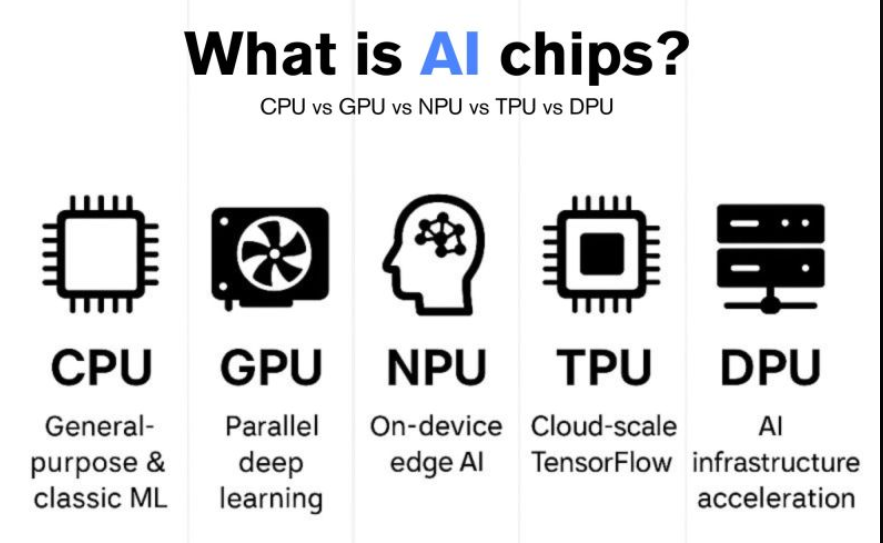
The difference between CPU vs GPU vs NPU has to do with appropriate hardware to match the workload. CPUs are also still critical to general computing, they are the conductor of it all. GPUs offer crude parallelity of graphics and AI training.
NPUs deliver differentiated, high-performance AI inference. To the majority of users, a high-capacity CPU can take care of everyday tasks, a medium-range graphics card provides creative output and gaming, and an NPU (when present) can support AI-related capabilities effectively.
The point is that additional power is not necessarily good and a 450W high-end graphics card running a background process burns more power when a 10W low-level processor could have done it.
Computing environment has changed to special-purpose acceleration. The brain of your device is not a single chip, but a system of ones located in the team which is engaged in doing what suits it best.
Read:
Complete Guide to Semiconductor Chipsets: Types, Architecture & Applications

I’m software engineer and tech writer with a passion for digital marketing. Combining technical expertise with marketing insights, I write engaging content on topics like Technology, AI, and digital strategies. With hands-on experience in coding and marketing.


